Pir Gee
Tech Tutorials
Tech News & Trends
Dev Challenges
AI & Machine Learning
Cyber Security
Developer Tools & Productivity
API's & Automation
UI/UX & Product Design
FinTech
SEO
Web 3.0
Software Comparisons
Tools & Work Flows
Tuesday, August 11, 2026
Pir Gee
Pir Gee

Pir Gee is your one-stop platform for insightful, practical, and up-to-date content on modern digital technologies. Covering programming languages, databases, REST APIs, web development, and more — we bring you expert tutorials, coding guides, and tech trends to keep developers, learners, and tech enthusiasts informed, skilled, and inspired every day.

Follow us

Categories

  • Tech Tutorials
  • Tech News & Trends
  • Dev Challenges
  • AI & Machine Learning
  • Cyber Security
  • Developer Tools & Productivity
  • API's & Automation
  • UI/UX & Product Design
  • FinTech
  • SEO
  • Web 3.0
  • Software Comparisons

Policies

  • About
  • Get inTouch Pir Gee
  • Privacy Policy
  • Terms & Conditions
  • Disclaimer

Newsletter

Subscribe to Email Updates

Subscribe to receive daily updates direct to your inbox!

*We promise we won't spam you.

* All content on Pir Gee is for educational and informational purposes only. All third-party names, trademarks, logos, or brands referenced on our site belong to their respective owners.
Pir Gee claims no ownership over third-party intellectual property.

© 2026 Pir Gee. A Project ofTETRA SEVEN. All Rights Reserved.

HomeTech News & TrendsWhatsApp’s New Liquid Glass Design Is Rolling Out — Full Details

WhatsApp’s New Liquid Glass Design Is Rolling Out — Full Details

ByZeenat Yasin

20 April 2026

WhatsApp’s New Liquid Glass Design Is Rolling Out — Full Details

* All product/brand names, logos, and trademarks are property of their respective owners.

15

views


FacebookTwitterPinterestLinkedIn

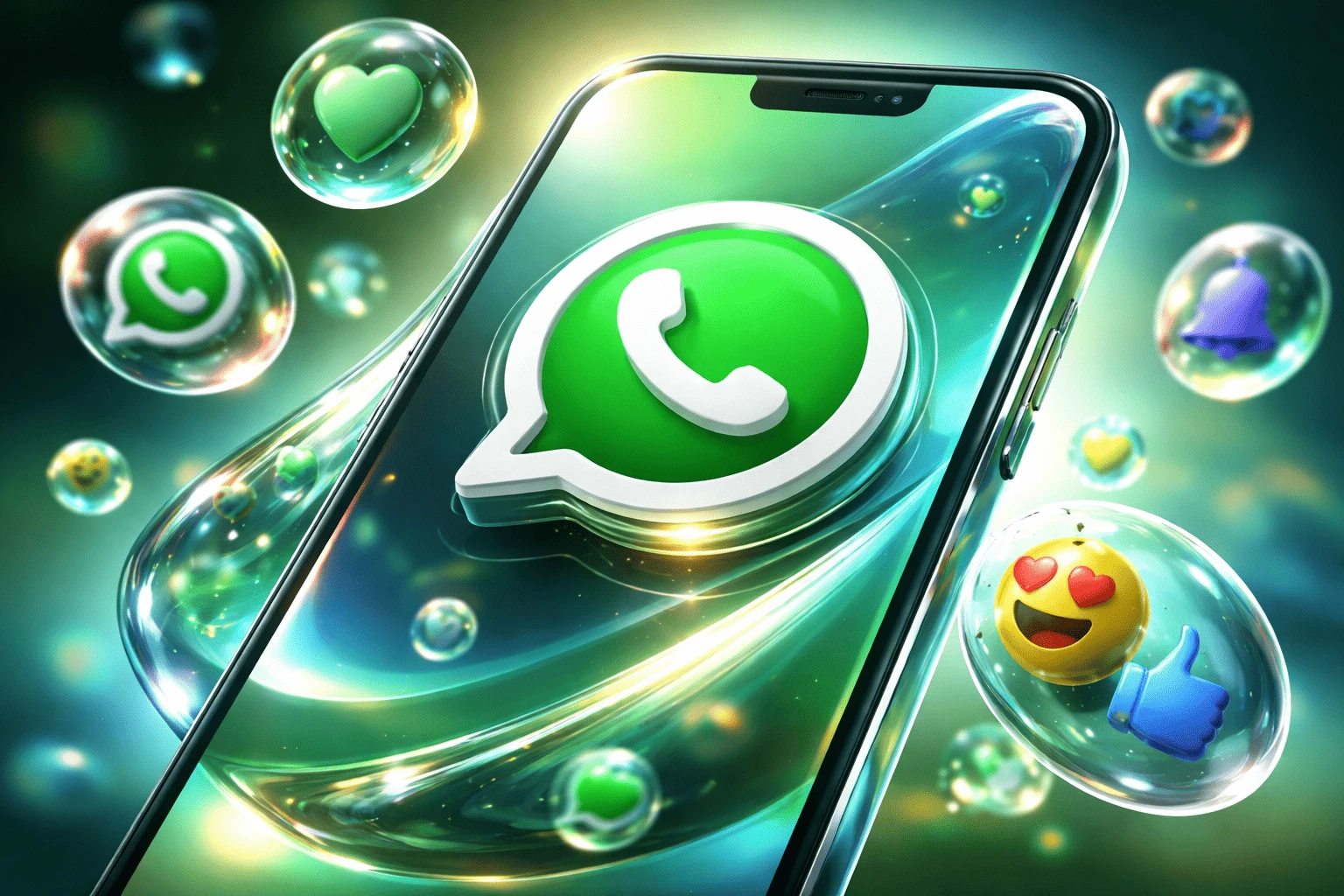
WhatsApp is rolling out a fresh visual update, and it’s already getting attention for its sleek new look. The WhatsApp Liquid Glass design marks a noticeable shift from the app’s familiar flat interface to something more modern, layered, and fluid.

This isn’t a feature-heavy update with new buttons or tools. Instead, it focuses on how the app feels — smoother animations, subtle transparency effects, and a more polished overall appearance. Meta seems to be aligning WhatsApp with newer design trends seen across iOS and Android apps.

If you’ve opened WhatsApp recently and noticed something looks different but can’t quite place it, this update might be the reason.

What Is WhatsApp’s Liquid Glass Design?

The WhatsApp Liquid Glass design is mainly a visual upgrade that changes how the app looks and feels, rather than how it works.

At its core, “Liquid Glass” refers to a design style that uses:

  • Soft transparency (elements look slightly see-through)
  • Layered visuals (menus and buttons appear stacked with depth)
  • Glossy effects (subtle shine, like light reflecting on glass)
  • Fluid animations (smoother transitions when opening chats or switching tabs)

Instead of the older flat design—where everything looked solid and static—the new interface feels more dynamic and modern. Buttons, chat bubbles, and navigation bars now appear more “alive,” with gentle motion and depth.

WhatsApp Old vs New Design (Quick Comparison)

Feature Old Design Liquid Glass Design
Visual Style Flat, simple Glossy, layered
Animations Minimal Smooth, fluid
Icons Standard, sharp Softer, modern
Navigation Basic layout More refined and intuitive
Depth Effects None Subtle transparency and layering
Overall Feel Functional Premium and polished

The difference isn’t drastic at first glance, but it becomes obvious with use. The older design focused purely on function, while the new WhatsApp Liquid Glass design adds a visual experience on top of that.

In simple terms, everything feels less rigid and more fluid. Movements are smoother, elements feel more connected, and the interface has a slightly more “alive” feel compared to the static look before.

Rollout Details — Who Is Getting It and When

The WhatsApp Liquid Glass design isn’t launching for everyone at once. Like most major WhatsApp updates, this one is rolling out gradually in phases.

1) Beta vs Stable Users

  • Beta users are usually the first to see the new design
  • If you’re part of the WhatsApp Beta program, there’s a higher chance you already have it
  • Stable (regular) users will receive it after initial testing is complete

2) Android vs iPhone Availability

  • Updates often appear slightly earlier on iOS due to tighter device control
  • Android rollout can take longer because of device variety and optimization
  • Some features may look slightly different across platforms

3) Gradual Rollout Explained

WhatsApp doesn’t release updates to everyone at once. Instead:

  • It pushes the update to a small group first
  • Monitors performance and bugs
  • Expands rollout in stages

This means two people using the same phone model might still see different versions.

4) Expected Timeline

While there’s no exact official date:

  • Beta rollout → already ongoing
  • Wider rollout → expected over the coming weeks
  • Full global availability → typically takes a few weeks to a couple of months

The key thing to remember: if you don’t see the new design yet, it doesn’t mean you won’t get it—it just hasn’t reached your device yet.

How to Get the New WhatsApp Design

If the WhatsApp Liquid Glass design hasn’t appeared on your app yet, there are a few simple things you can do to check or speed up the process.

Step-by-Step

1. Update WhatsApp from the App Store / Play Store

  • Open Google Play Store or Apple App Store
  • Search for WhatsApp
  • Tap Update if available

2. Join the Beta Program (Optional)

  • On Android, scroll down the WhatsApp Play Store page
  • Join the Beta program (if slots are open)
  • Beta users often get design updates earlier

3. Check Your App Version

  • Go to WhatsApp Settings → Help → App Info
  • Make sure you’re on the latest version

4. Restart the App or Phone

  • Sometimes updates apply after a restart
  • Close WhatsApp fully and reopen it

5. Wait for Server-Side Activation

  • Even with the latest version, WhatsApp may enable the design remotely
  • This means you might have to wait a bit longer

If You Still Don’t See It

  • The update may not have reached your region yet
  • Your device might receive it later due to compatibility
  • WhatsApp could be testing it with limited users first

For most people, the update will appear automatically—it’s just a matter of timing.

Real User Impact — Is It Worth It?

The WhatsApp Liquid Glass design may look like a purely visual upgrade, but it still affects how the app feels in daily use. Whether it’s “worth it” depends on your device and personal preference.

Pros and Cons of WhatsApp Liquid Glass Design

Pros Cons
More modern and visually appealing interface May feel unfamiliar at first
Smoother animations and transitions Possible lag on older devices
Better visual hierarchy for chats and menus Slight increase in battery usage (on some phones)
Cleaner and more polished overall look No major new features added
Feels more premium and up-to-date Gradual rollout can be frustrating

This makes it easier to quickly see the trade-offs—great for readers who prefer scanning instead of reading long sections.

Early Reactions and What Users Are Saying

As the WhatsApp Liquid Glass design rolls out, early reactions are starting to surface—and they’re a mix of curiosity, appreciation, and a bit of hesitation.

a) Positive Reactions

Many users are welcoming the fresh look, especially those who enjoy modern UI trends.

Common feedback includes:

  • “Feels smoother when switching chats”
  • “Looks more premium than before”
  • “Finally a design refresh after a long time”
  • “Cleaner and easier on the eyes”

For these users, the update makes WhatsApp feel more aligned with newer apps.

b) Mixed Opinions

Some users aren’t fully convinced yet, mainly because the changes are subtle.

  • “It looks nice, but not a big difference”
  • “Took me a while to notice what changed”
  • “Feels more like polish than an upgrade”

This group sees it as a refinement rather than a major update.

c) Negative Feedback

A smaller group has raised concerns, mostly around performance and familiarity.

  • “Slight lag on my older phone”
  • “Preferred the simpler old design”
  • “Why change something that already worked?”

These concerns are more common among users with older devices or those who prefer minimal design changes.

Conclusion

The WhatsApp Liquid Glass design is a clear step toward a more modern and refined user experience. While it doesn’t introduce new features, it changes how the app feels in everyday use—smoother, cleaner, and more visually polished.

For most users, the update will be a welcome improvement, even if it takes a little time to adjust. And if you haven’t received it yet, there’s no need to worry—the rollout is still ongoing and will gradually reach more devices.

At its core, this update shows where WhatsApp is heading: not just functional, but also more thoughtfully designed for long-term use.

Related: The Secret Features of Web WhatsApp Nobody Talks About

Tags:Liquid GlassWhatsApp DesignWhatsApp Liquid Glass
Zeenat Yasin

Zeenat Yasin

View profile

I am Zeenat, an SEO Specialist and Content Writer specializing in on-page and off-page SEO to improve website visibility, user experience, and performance.
I optimize website content, meta elements, and site structure, and implement effective off-page SEO strategies, including link building and authority development. Through keyword research and performance analysis, I drive targeted organic traffic and improve search rankings.
I create high-quality, search-optimized content using data-driven, white-hat SEO practices, focused on delivering sustainable, long-term growth and improved online visibility.

Related Posts

White-Collar Work Will Be Automated Soon: What Makes You So Different?Tech News & Trends

White-Collar Work Will Be Automated Soon: What Makes You So Different?

White-collar work is no longer protected from automation just because it happens behind a laptop ins

By: Feroza Arshad

1 June 2026

Samsung Galaxy A57: The Mid-Range Phone That Feels Like a FlagshipTech News & Trends

Samsung Galaxy A57: The Mid-Range Phone That Feels Like a Flagship

Flagship smartphones look and feel incredible—but their price tags don’t always make sen

By: Feroza Arshad

1 May 2026

Apple’s iOS 27 Is on the Way — Here’s What We KnowTech News & Trends

Apple’s iOS 27 Is on the Way — Here’s What We Know

Apple’s next major software update, iOS 27, is already generating buzz across the tech world&m

By: Zeenat Yasin

21 April 2026

Comments

Be the first to share your thoughts

No comments yet. Be the first to comment!

Leave a Comment

Share your thoughts and join the discussion below.

Popular News

MCP Security Checklist: How Developers Can Build Safer AI Agent Integrations

MCP Security Checklist: How Developers Can Build Safer AI Agent Integrations

By:Feroza Arshad  4 June 2026

A developer-focused MCP security checklist covering permissions, tool scopes, secrets, logging, approvals, sandboxing, and prompt-injection risks.

Read More
Agent-Ready Websites: How Developers Should Prepare Content, APIs, and Search for AI Assistants

Agent-Ready Websites: How Developers Should Prepare Content, APIs, and Search for AI Assistants

By:Feroza Arshad  4 June 2026

Learn how developers can prepare websites for AI assistants with structured content, internal search, safe APIs, permissions, and human-friendly fallbacks.

Read More
White-Collar Work Will Be Automated Soon: What Makes You So Different?

White-Collar Work Will Be Automated Soon: What Makes You So Different?

By:Feroza Arshad  1 June 2026

AI is transforming white-collar work. Discover the human skills, judgment, and value that can help professionals stay relevant in an automated future.

Read More
Using Claude Code: The Unreasonable Effectiveness of HTML

Using Claude Code: The Unreasonable Effectiveness of HTML

By:Feroza Arshad  26 May 2026

Learn how using Claude Code with HTML outputs improves readability, reporting, dashboards, and AI workflow usability.

Read More
Google Gemini 3.5 Flash: What You Need to Know

Google Gemini 3.5 Flash: What You Need to Know

By:Feroza Arshad  25 May 2026

Learn what Google Gemini 3.5 Flash is, its key features, use cases, comparisons, advantages, and whether it’s worth using in 2026.

Read More
What Google’s Generative UI Means for the Future of Search

What Google’s Generative UI Means for the Future of Search

By:Nigarish Nadeem  20 May 2026

Learn how Google Generative UI may change search behavior, SEO, website traffic, and digital visibility for brands and publishers.

Read More
Are Free Coding Tutorials Enough to Become a Developer?

Are Free Coding Tutorials Enough to Become a Developer?

By:Nigarish Nadeem  9 May 2026

Discover whether free coding tutorials are enough to become a developer, what skills matter most, and how beginners can build real-world programming experience.

Read More
The Ultimate Guide to Modern UX Design (Beginner to Pro)

The Ultimate Guide to Modern UX Design (Beginner to Pro)

By:Feroza Arshad  6 May 2026

Learn modern UX design from beginner to pro with UX principles, workflows, tools, trends, and practical career guidance.

Read More
Top AI Workflow Tools That Feel Like Having a Personal Assistant

Top AI Workflow Tools That Feel Like Having a Personal Assistant

By:Feroza Arshad  4 May 2026

Discover the best AI workflow tools that act like a personal assistant to manage tasks, emails, scheduling, and automation with ease.

Read More
Samsung Galaxy A57: The Mid-Range Phone That Feels Like a Flagship

Samsung Galaxy A57: The Mid-Range Phone That Feels Like a Flagship

By:Feroza Arshad  1 May 2026

Discover the Samsung Galaxy A57 features, performance, and price. See if this mid-range phone truly delivers a flagship-like experience.

Read More